VPS Setup for Crypto Trading Bots: Co-Location…
**Answer first** — In 2026, a serious MEV bot lives on a VPS in one of three regions: Frankfurt (FR), Northern Virginia (NV), or Tokyo (TK). Anywhere else adds 80–200ms of latency
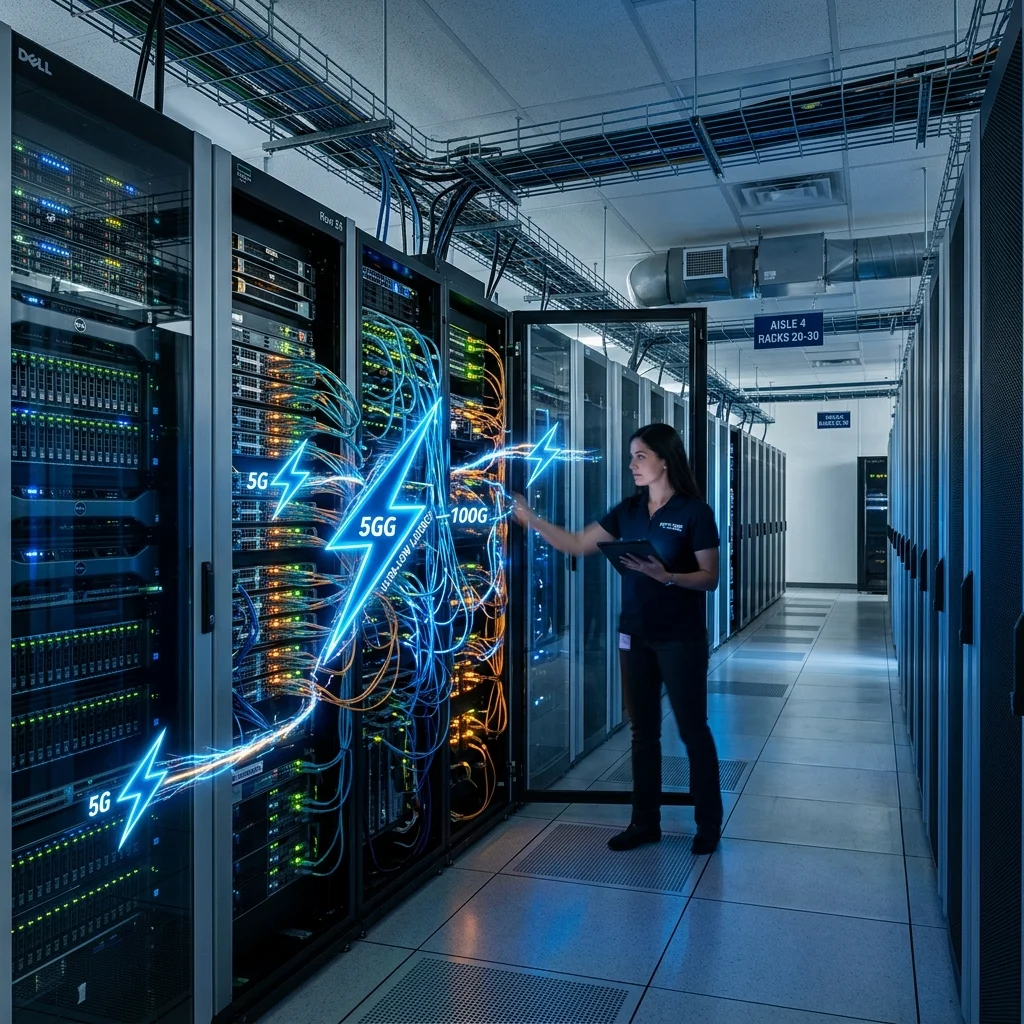
Answer first — In 2026, a serious MEV bot lives on a VPS in one of three regions: Frankfurt (FR), Northern Virginia (NV), or Tokyo (TK). Anywhere else adds 80–200ms of latency that wipes out edge. For most operators, a $40–80/month dedicated CPU instance from Latitude.sh, Vultr, or Hetzner is enough. For top-tier strategies, $200–600/month for a co-located bare-metal box in an Equinix DC. Running the bot on your home laptop is hobbyist territory only.
This guide covers provider selection, region targeting, hardening, and the realistic cost curve.
Why VPS Region Trumps VPS Spec
A 32-core monster in Mumbai loses every race to a 4-core box in Frankfurt for European-relay strategies. The latency math:
Home laptop in São Paulo → Flashbots relay (NV)
RTT: 180–240ms
Hetzner box in Falkenstein → Flashbots relay (FR)
RTT: 8–14ms
That 200ms gap is the difference between landing 70% of attempted bundles and landing 12%.
For Solana, leader rotation matters. Tokyo and Frankfurt cover the validator distribution best. New York is acceptable but suboptimal.
Region Recommendations by Chain
| Chain Focus | Best Region | Acceptable Alternates |
|---|---|---|
| Ethereum L1 (PBS) | Frankfurt or Northern Virginia | Amsterdam, NY |
| Base, Optimism | US-East (NV, NY) | Chicago |
| Arbitrum | US-East or Frankfurt | Amsterdam |
| Solana | Frankfurt or Tokyo | NY (3rd choice) |
| BNB Chain | Tokyo or Singapore | Hong Kong |
| Polygon | Frankfurt or NV | Amsterdam |
Multi-chain operators typically run 1 box in NV and 1 in FR, with the bot orchestration deciding which strategy executes from which box.
Provider Tiers
Tier 1 — Hyperscalers (AWS, GCP, Azure)
Most expensive. Best networking. Programmable infrastructure.
- AWS Frankfurt (eu-central-1) or NV (us-east-1)
- $80–250/month for c7g.xlarge equivalent
- Pros: SLA, IAM, automated scaling
- Cons: cost, complexity, occasional noisy-neighbor issues
Tier 2 — Mid-Market (Vultr, Linode, DigitalOcean)
Sweet spot for most operators.
- $30–80/month for 4 vCPU + 8GB
- Datacenter footprint covers most regions
- Easy provisioning, good documentation
Tier 3 — Bare-Metal Specialists (Hetzner, OVH, Latitude.sh)
Best price-performance for serious workloads.
- Hetzner Falkenstein: $60–120/month for an 8-core dedicated AMD box
Latitude.sh: $80–150/month for similar in NV/Tokyo- Pros: dedicated hardware, no noisy neighbors, excellent bandwidth
- Cons: setup is more hands-on
Tier 4 — Co-Location (Equinix-grade)
For teams or top-tier individual operators.
- $300–800/month for a dedicated 1U server in Equinix FR4 or NY4
- Pros: physical proximity to relays/sequencers, single-digit ms RTT
- Cons: cost, contract terms, requires basic ops knowledge
Most retail operators should be in Tier 2 or Tier 3. Move to Tier 4 only if your tuned strategy is profitable and latency-bound.
Spec Recommendations
The most common spec mistake is over-spec'ing. MEV bots are not CPU-heavy — they're network-heavy. Realistic minimum:
| Component | Minimum | Recommended |
|---|---|---|
| vCPU/cores | 2 | 4–8 |
| RAM | 4GB | 16GB |
| Disk | 40GB SSD | 200GB NVMe |
| Network | 1Gbps | 10Gbps if available |
| OS | Linux (Ubuntu LTS / Debian) | Same |
If you're running a local archive node, multiply RAM by 4 and disk by 30. Running an archive on the same box as the bot is not recommended — separate them.
Initial Hardening Checklist
Out of the box, hosted VPS images need work before a bot goes on them:
- SSH: disable password auth, key-only.
- UFW: deny all inbound except 22/tcp from your IP.
- Outbound firewall: allow only required endpoints (RPC, relay, monitoring). Default deny.
- Auto-updates:
unattended-upgradesfor security patches. - fail2ban: throttle failed SSH attempts.
- No root login.
- Audit log:
auditdon, log shipping to a separate destination. - Time sync:
chronyorsystemd-timesyncd. NTP drift kills slot timing. - Process monitoring: alert on unexpected process spawn.
- Backup: VPS-level snapshot weekly + config export.
This takes 30–60 minutes and prevents most opportunistic compromises.
Network Tuning
Default Linux network stack is conservative for MEV. Useful tuning:
## /etc/sysctl.d/99-mev.conf
net.core.rmem_max = 134217728
net.core.wmem_max = 134217728
net.ipv4.tcp_rmem = 4096 87380 134217728
net.ipv4.tcp_wmem = 4096 65536 134217728
net.ipv4.tcp_congestion_control = bbr
net.core.default_qdisc = fq
net.ipv4.tcp_fastopen = 3
net.ipv4.tcp_low_latency = 1
Apply with sysctl -p. Re-test latency. You should see 1–4ms improvement on long-haul paths.
Latency Measurement (Do This Before Optimizing Anything Else)
Before tuning, measure:
- RTT to your target relay endpoint.
- RTT to your WSS provider.
- RTT to your sequencer (for L2s).
Use mtr or tcping. Record at peak hours (US/EU evening UTC). Use the WSS Latency Test tool for chain-specific endpoints.
If RTT is already <15ms to your target relay, additional optimization is marginal. If it's >40ms, you're in the wrong region.
Multi-Box Setup
Once you have one box working, the temptation is to scale horizontally. Patterns:
Active-passive failover: Box A runs strategy; Box B is a hot standby. If A goes down, B takes over.
Region-distributed: Box A in FR runs L1 + EU strategies; Box B in NV runs Base/Optimism. Each is regionally optimal.
Strategy isolation: Box A runs liquidations; Box B runs arb. Bug in one doesn't affect the other.
For most operators with under $250k bankroll, single box is enough. The complexity of multi-box management isn't justified.
Cost-Performance Curve
Approximate 2026 monthly costs for various tiers:
Tier Monthly cost Latency to relay
Home laptop $0 80–200ms
$10/mo VPS $10 40–80ms
Tier 2 VPS $40–80 10–25ms
Tier 3 bare-metal $80–150 5–15ms
Tier 4 co-located $300–800 1–4ms
Diminishing returns kick in around Tier 3. Below Tier 2, every fill is hostage to latency.
Monitoring & Alerting
Essential alerts:
- VPS unreachable >60s
- CPU >90% for >5min (suggests runaway strategy)
- RAM >90% (memory leak in bot or system)
- Disk >85% (logs filling, rotate)
- WSS disconnects in last 5 min >2
- Bundle success rate dropped >15% in last hour
Tools: Grafana + Prometheus is overkill but works. UptimeRobot + simple log alerting via Telegram is fine for most operators.
Cost-Cutting Antipatterns
Don't:
- Run on the cheapest possible VPS to "save money" while losing $200/day in fills
- Run multiple bots on one box to share cost (noisy neighbor risk between your own services)
- Use a residential ISP for "production" — nope
- Rely on free tier of a hyperscaler — they de-prioritize and throttle
The right framing: VPS is your edge multiplier. $40/mo that earns you 10x more in fills is the cheapest tool you'll buy.
FAQ
Can I run FRB Agent on a Mac/Windows desktop instead of a VPS?
Yes for paper-trading and small live capital. No for serious operation — desktop ISPs add too much latency variance, and a sleeping/closing laptop kills the bot.
Which provider does FRB recommend?
We don't endorse a single provider. For EU operators: Hetzner. For US-East: Latitude.sh or Vultr. For Tokyo: Vultr or AWS.
Does FRB Agent require root on the VPS?
No. It runs as a normal user. Root is only needed for initial system hardening.
Can I share a VPS with a friend's bot?
Don't. Wallet keys, gas budgets, and risk controls should not coexist.
What about running a bot at home on a Mini PC?
Workable for paper trading and for very small live capital. Add a UPS, dedicated wired ethernet, and accept that home internet has latency spikes you can't control.
Related Reading
- Wallet Hygiene for MEV Traders
- Crypto Trading Bot Security Best Practices
- Best WSS Endpoints by Chain
- Top 10 MEV Bot Mistakes
- Zero-Latency RPC Mastery
Latency numbers in this article are typical observations from 2026 testing. Your routes will differ. Measure your own paths before tuning.
Related Articles
Further reading & tools
Discussion
No notes yet. Add the first observation, or share the link with your team on X (@MCFRB).