MEV Bot Vendor Due Diligence Checklist: How to…
**Answer first** - A MEV bot vendor should be evaluated like high-risk trading infrastructure, not like a casual browser extension. Before using live capital, verify the custody mo
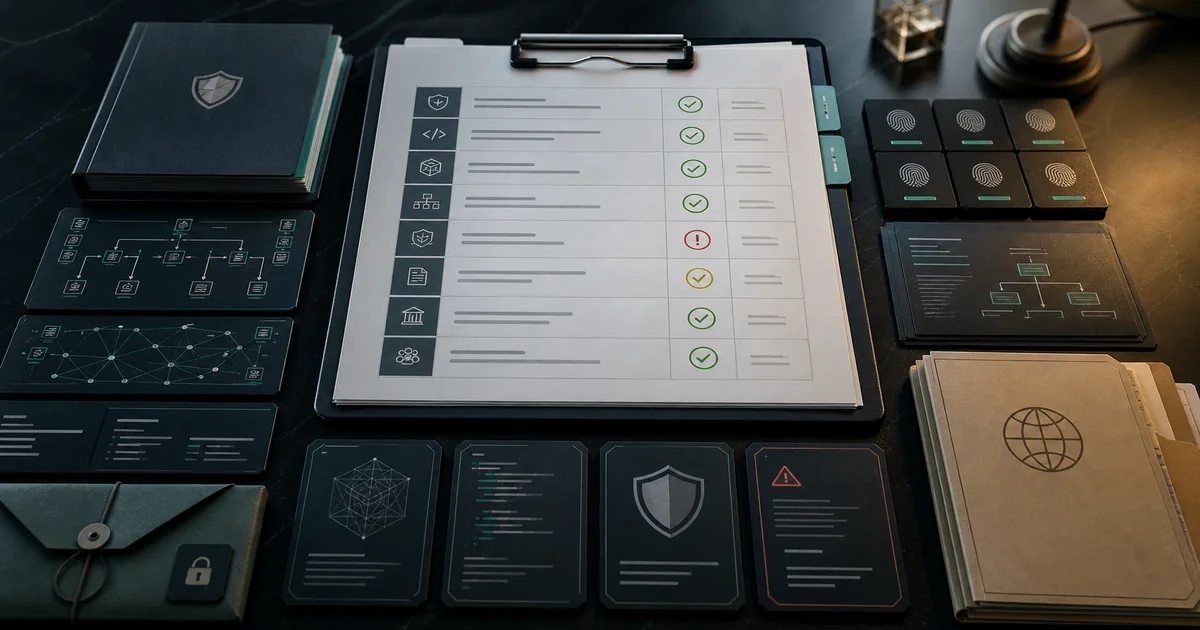
Answer first - A MEV bot vendor should be evaluated like high-risk trading infrastructure, not like a casual browser extension. Before using live capital, verify the custody model, verified builds, checksums, release notes, pricing terms, telemetry policy, support process, and risk disclosures. A serious vendor makes verification easy. A risky vendor pushes urgency, return claims, or private-key shortcuts.
This checklist is written for solo operators, funds, DAO treasuries, and technical buyers comparing FRB with Telegram bots, cloud bots, scripts, or internal builds.
The due diligence scorecard
| Area | What to ask | Strong answer |
|---|---|---|
| Custody | Who controls keys? | User-controlled keys; no seed phrase request. |
| Build integrity | Can I verify the installer? | verified builds, SHA-256 checksums, release notes. |
| Risk disclosure | Does the vendor explain what can go wrong? | Clear risk page and no return promises. |
| Pricing | What triggers fees? | Transparent model tied to current published terms. |
| Simulation | Can I test before live execution? | Simulation mode before live capital. |
| Telemetry | What data leaves my machine? | Documented telemetry and privacy boundaries. |
| Support | How are incidents handled? | Public support path and responsible disclosure. |
| Documentation | Can I operate without guessing? | Quickstart, FAQ, security, releases, and troubleshooting. |
No single row proves safety. The point is evidence density.
Custody review
Start with the most important question: can the vendor move funds without the user?
Reject tools that require:
- Seed phrases.
- Main wallet private keys.
- Deposits into a platform wallet without a clear withdrawal path.
- Cloud custody for unattended execution when the vendor cannot define controls.
- Blind signatures with no simulation or transaction preview.
FRB's trust model is explained on Trust, Security, and What is FRB?. The user remains responsible for wallet setup, limits, and live-execution decisions.
Build and release verification
For desktop trading software, the binary matters. A polished website does not protect users from a modified installer.
Ask for:
- SHA-256 or platform-equivalent signing.
- SHA-256 checksums.
- Release notes.
- Version history.
- Clear download source.
- A responsible disclosure path.
FRB publishes verification paths through Download, Trust, Releases, and Vulnerability.
Pricing and incentives
Pricing should be plain. If a vendor cannot explain when fees apply, how failed trades are handled, and which external costs remain the user's responsibility, pause.
Questions to ask:
- Is there a subscription?
- Is there a per-trade fee?
- Is there a performance fee?
- Are gas and relay tips included or separate?
- What happens during a failed attempt?
- Where are the current terms published?
For FRB, start at Pricing and then compare the total cost stack against alternatives.
Risk language review
Healthy vendors use sober language:
- "Start with simulation mode."
- "Performance may vary."
- "MEV strategies involve latency, liquidity, gas, and market risks."
- "Verify builds before use."
- "User-controlled keys."
Risky vendors lean on pressure and certainty:
- Fixed daily returns.
- "No-risk" trading.
- Urgent deposits.
- Screenshots without methodology.
- Anonymous support DMs.
- No risk disclosure.
The safer vendor does not need exaggerated claims.
Documentation and support
Before choosing a vendor, confirm the basics:
- Is there a FAQ?
- Is there a Risk Disclosure?
- Is there a Refund Policy?
- Is there a Support page?
- Are Docs available?
- Are known limitations explained?
- Are status or telemetry pages available?
Good documentation reduces setup mistakes. It also makes support faster because users can describe issues using the same vocabulary as the product.
Practical buyer workflow
- Read the vendor's trust and risk pages.
- Download only from the official domain.
- Verify the checksum.
- Run in simulation mode.
- Connect a dedicated test wallet.
- Confirm pricing terms.
- Review logs for skipped, failed, and simulated routes.
- Start live only with strict limits if the review is clean.
If any step is unclear, ask support before funding a live wallet.
Red Flags That Eliminate a Vendor Immediately
Some signals should terminate the evaluation regardless of other factors:
Requests your seed phrase or private key: No legitimate non-custodial MEV tool requires your seed phrase. A seed phrase gives full account access — requesting it is either a scam or represents a custodial model that should be explicitly disclosed.
Promises fixed or assured returns: MEV strategy returns are variable. Competition, gas costs, market conditions, and execution quality all affect outcomes. Any vendor claiming "guaranteed 1% daily" or specific fixed returns is either lying or doesn't understand MEV.
Anonymous team with no verifiable legal entity: While pseudonymous contributors are common in crypto open source, a MEV bot vendor asking for real capital should have a verifiable legal presence. Ask for the legal entity name and verify it in the relevant registry (UK Companies House, US state registry, etc.).
No published hash for the installer: Desktop software that touches your private keys must be verifiable before execution. Without a published SHA-256 hash to check the download against, there's no way to confirm the file you're running matches what the vendor actually shipped.
No simulation mode: Any serious MEV execution tool offers pre-live testing against real chain state. A tool that requires committing real capital before you can see how it behaves is asking you to trust it blindly.
Urgent deposit incentives: "Deposit in the next 24 hours for a bonus" is a high-pressure sales pattern incompatible with legitimate risk management.
How to Verify Build Integrity (Step-by-Step)
This is the most critical technical step in the vendor evaluation process. A polished website can be cloned by a scammer. A SHA-256 hash that you compute yourself and compare against the vendor's published value cannot be trivially faked.
Step 1 — Download only from the vendor's official domain:
Don't use third-party hosting, Telegram file shares, or GitHub forks unless you can verify they're the canonical source. For FRB: ai-frb.com/download or /install.
Step 2 — Verify the SHA-256 checksum on Windows:
- Right-click the installer
.exe - Run Get-FileHash on it and compare the SHA-256 to the published value
- If the hash doesn't match exactly, stop and re-download from the official URL
- For FRB: verify the publisher channels, release checksum, custody model, and risk disclosures documented on /trust
Step 3 — Verify the SHA-256 hash: The vendor should publish the SHA-256 hash of each release. In PowerShell:
Get-FileHash "FRB-Setup.exe" -Algorithm SHA256
Compare the output to the published hash. If they don't match, the file was modified in transit or the source is wrong.
Step 4 — Check the release notes: A vendor that releases software with no release notes, no version history, and no changelog is not operating transparently. Legitimate security and feature changes should be documented.
Step 5 — Verify the legal entity:
For UK companies: search Companies House at find-and-update.company-information.service.gov.uk by the exact company name or registration number supplied by the vendor. FRB does not currently use a corporate-registration assertion as a trust signal.
Institutional and Team Buyer Considerations
For funds, DAO treasuries, and team buyers, additional due diligence applies:
Audit trail: Can the vendor provide evidence of security reviews or penetration testing? Code audits by reputable firms (Trail of Bits, Zellic, Sherlock) significantly increase confidence in the security of the execution environment.
Data residency and privacy: What telemetry does the vendor collect? Does any data leave your machine in a form that identifies your trading positions? For institutional operators, this may be a compliance requirement.
SLA and support commitments: What happens when the tool fails during an active session? Is there an emergency support channel? What is the incident response SLA?
Contractual terms: Does the vendor offer a formal service agreement for institutional deployments? For retail tools, this may not apply — but for fund-scale capital, it may be required by your compliance function.
Offboarding process: If you decide to stop using the tool, how do you recover your configuration data, trading history, and any keys that were managed in the tool's environment? A vendor that makes offboarding difficult has misaligned incentives with users.
Internal Links for Evaluation
- Trust Verification
- Security Model
- Risk Disclosure
- FRB Pricing
- Download and Verify
- MEV Bot Scams vs Legitimate Tools
- Is FRB Legit? Trust Verification Guide
Use this checklist, then review Trust Verification before downloading or funding a live wallet.
This article is informational only. It is not legal, financial, investment, or procurement advice. Teams with formal compliance obligations should run their own vendor review.
Frequently asked questions
What should I verify before using a MEV bot vendor?
Verify custody model, build signatures, checksums, release notes, pricing terms, risk disclosure, support process, telemetry policy, and whether you can test in simulation mode before live execution.
Is a public website enough proof that a bot is legitimate?
No. A website is only a starting point. Buyers should ask for verifiable evidence: verified builds, checksums, legal entity details, documented security model, support channels, and clear risk language.
What is the biggest red flag in MEV bot procurement?
The biggest red flag is a vendor asking for seed phrases, deposits to a platform wallet, or promising fixed returns. Legitimate vendors should be risk-aware and verification-first.
Related Articles
Further reading & tools
Discussion
No notes yet. Add the first observation, or share the link with your team on X (@MCFRB).