MEV Bot PnL Tracking & Dashboards 2026: How to…
How to accurately track MEV bot PnL in 2026: gross revenue vs net profit, gas cost accounting, Dune Analytics dashboards, and on-chain reconciliation.
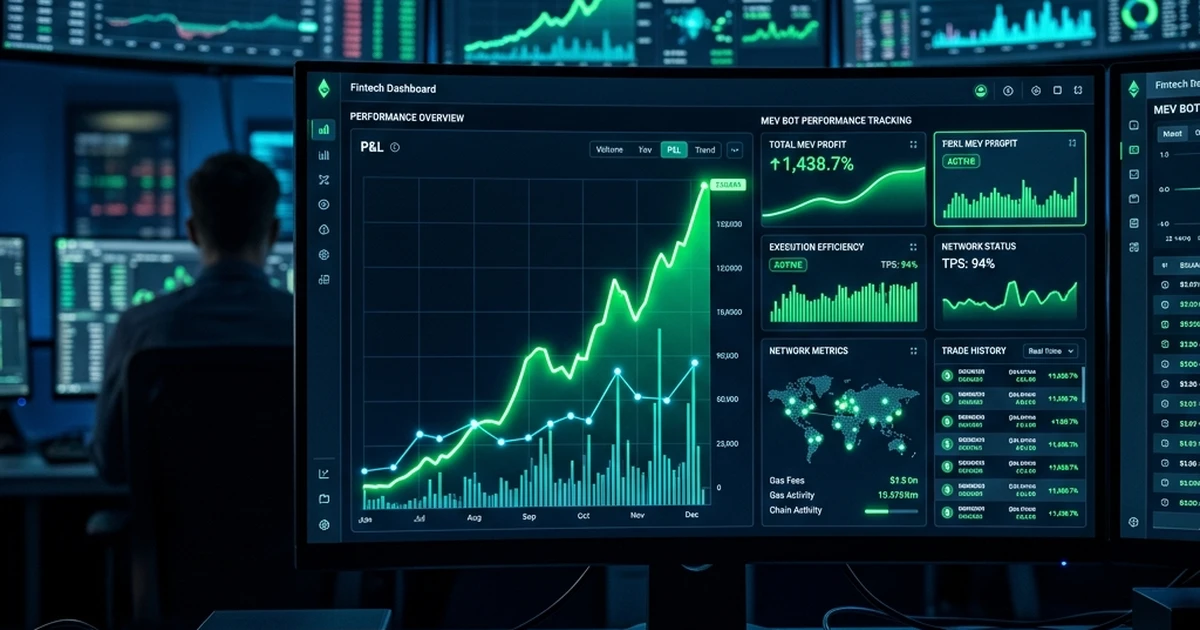
The illusion of profit — your MEV bot's raw on-chain revenue looks impressive until you subtract gas costs, tip payments, failed bundle overhead, RPC fees, and the opportunity cost of capital locked in your tip wallet. Operators who don't track true net PnL consistently overestimate their returns and under-optimise their strategies. This guide covers the accounting model, the tools, and the dashboard setup for accurate MEV profitability measurement.
Why MEV PnL Is Harder Than It Looks
A successful sandwich bundle shows: bought token A for 1 ETH, sold for 1.03 ETH — 0.03 ETH gross profit. But the full cost picture includes:
- Gas cost of the front-run transaction (paid regardless of outcome)
- Gas cost of the back-run transaction (paid regardless of outcome)
- Miner/validator tip (paid to win bundle inclusion)
- Gas cost of failed/reverted bundles (paid even when you lose)
- RPC infrastructure cost (Alchemy/QuickNode subscription divided by active bots)
- Capital cost (ETH locked in tip wallet earns no yield while sitting)
For high-frequency strategies, failed bundle gas costs alone can consume 20-40% of gross revenue. Tracking gross revenue without this overhead gives a fundamentally misleading view of your operation.
The Correct PnL Accounting Model
Gross Revenue
All positive token flows into your bot's wallet from MEV execution:
- Arbitrage profits (token surplus after closing a cycle)
- Liquidation rewards (bonus received for liquidating an undercollateralised position)
- Sandwich profits (tokens bought cheap and sold higher)
- Back-run profits (capture of a price move triggered by a large trade)
Source: on-chain — sum of all inbound token transfers above your minimum profit threshold per wallet address.
Cost of Revenue
Costs directly associated with generating MEV revenue:
- Gas used × gas price for every successful bundle transaction
- Validator/builder tips paid in successful bundles
- Protocol fees paid in swaps within bundles (Uniswap 0.3%, Curve variable)
Failed Bundle Costs
Costs from bundles that didn't land:
- Gas used × gas price for any reverted transactions
- Simulation costs if using paid simulation APIs (rare but possible)
For Flashbots users: bundles that aren't included are not charged gas. But bundles that do land and then revert on-chain (due to state race) do cost gas. Track revert rate separately.
Infrastructure Costs
- RPC node subscription (Alchemy/QuickNode/Infura)
- Private mempool access fees (bloXroute, Chainbound Fiber)
- Server/VPS/Windows instance costs
- MEV relay fees (most relays are free; some take a cut)
Net Profit Formula
Net Profit = Gross Revenue
− Gas Costs (successful bundles)
− Tip Payments
− Protocol Swap Fees
− Failed/Reverted Bundle Gas
− Infrastructure Costs
− Platform Performance Fee
FRB Agent's 20% performance fee is deducted on-chain from gross profits before they reach your wallet — so your on-chain received amount is already net of the performance fee. Other infrastructure costs remain your accounting responsibility.
On-Chain Data Sources
Your Bot Wallet Transaction History
Start with raw on-chain data. Every transaction your bot executes is on the public chain:
- Ethereum: Etherscan API, Alchemy Transfers API (
alchemy_getAssetTransfers), or direct node RPC (eth_getTransactionReceipt) - Solana: Solana Explorer API, Helius enhanced transactions API
- BNB Chain: BscScan API
For each transaction, you need:
- Timestamp and block number
- Token transferred (symbol, amount, direction: in/out)
- USD value at time of transaction (use a historical price API: CoinGecko, CoinMarketCap historical, or Chainlink price feeds)
- Gas used + gas price = gas cost in ETH
- ETH/USD rate at transaction time → gas cost in USD
Flashbots Data API
Flashbots exposes bundle-level data at the relay API. For operators using mev-share or the standard Flashbots relay:
GET /relay/v1/data/bundlestats?blockNumber=<N>— bundle status for a given blockGET /relay/v1/data/bidtraces— what was submitted, what landed, at what bid
This data lets you reconcile submitted bundles vs landed bundles and compute win rate and average profit per winning bundle.
Dune Analytics
Dune is the standard tool for on-chain analytics in the MEV space. You can build custom dashboards querying raw on-chain data using SQL.
Useful Dune tables for MEV tracking:
ethereum.transactions— all Ethereum transactions including gas and valueflashbots.mev_summary— Flashbots-curated MEV classification datasetuniswap_v3_ethereum.trades— Uniswap v3 swap eventsprices.usd— historical token prices for USD conversion
Example Dune query — daily net revenue for your bot address:
SELECT
DATE_TRUNC('day', block_time) AS day,
SUM(token_value_usd) AS gross_revenue_usd,
SUM(gas_used * gas_price / 1e18 * eth_price) AS gas_cost_usd,
SUM(token_value_usd) - SUM(gas_used * gas_price / 1e18 * eth_price) AS net_revenue_usd
FROM ethereum.transactions
LEFT JOIN prices.usd ON ...
WHERE "from" = LOWER('0xYourBotAddress')
AND block_time >= NOW() - INTERVAL '30 days'
GROUP BY 1
ORDER BY 1
Dune's free tier supports up to 1,000 query executions per month — sufficient for a personal bot operation. Pro tier (from $390/month) adds API access for programmatic ingestion.
Tools for MEV PnL Tracking
Dune Analytics (Free / Pro)
Best for: custom SQL queries on raw on-chain data, shareable dashboards, community-built queries to fork.
The MEV community has published numerous public Dune dashboards tracking protocol-level MEV. Fork these as a starting point and filter to your bot address.
Nansen (Subscription)
Nansen provides pre-built wallet analytics including PnL tracking, token flow analysis, and counterparty identification. Useful if you want a polished UI without writing SQL. The wallet profiler shows realised and unrealised PnL by token.
Limitation: Nansen's MEV-specific features are limited — it's better for general wallet analytics than MEV-specific bundle accounting.
DeBank (Free)
DeBank tracks portfolio value across wallets and chains. Useful for real-time net worth tracking but doesn't provide historical PnL by trade. Good for a quick "what is my bot wallet worth right now" view.
Zapper / Zerion (Free)
Similar to DeBank — portfolio aggregators with DeFi protocol integration. Limited for MEV-specific accounting.
Custom Spreadsheet + CoinGecko API (Free)
For smaller operations, a weekly manual reconciliation using a spreadsheet works:
- Export your wallet transactions from Etherscan (CSV download)
- Match each transaction to a historical USD price (CoinGecko historical OHLC API)
- Calculate gain/loss per trade
- Sum up gas costs
Time-consuming but requires no paid tooling. Scales poorly above 500 trades/week.
TaxBit / Koinly / CoinTracker (Subscription)
These tools are primarily for tax reporting but double as PnL trackers. They ingest your wallet address, pull on-chain history, apply cost-basis accounting (FIFO, LIFO, HIFO depending on jurisdiction), and produce both tax reports and portfolio PnL summaries.
TaxBit has specific support for DeFi and MEV-style transaction patterns. Cost: from $50/year for basic plans; enterprise pricing for high-volume operations.
Building a Real-Time PnL Dashboard
For operators wanting real-time visibility, the recommended stack:
Option A: Grafana + Custom Bot Metrics (Self-Hosted)
Your bot emits metrics on every bundle:
- Bundle submitted (with expected profit)
- Bundle landed (with actual profit, gas cost, tip)
- Bundle failed (with gas cost)
Expose these as Prometheus counters/gauges → Grafana dashboards. This is the most accurate method because you're measuring at the point of execution, not reconstructing from on-chain data.
Sample Prometheus metrics to emit:
mev_bundle_submitted_total
mev_bundle_landed_total
mev_bundle_revenue_eth_total
mev_bundle_gas_cost_eth_total
mev_bundle_tip_eth_total
mev_bundle_failed_total
mev_bundle_failed_gas_eth_total
mev_net_profit_eth_total
Option B: Dune Dashboard + Webhook (Cloud, No Infrastructure)
- Create a Dune dashboard with your PnL queries
- Use Dune's API to fetch dashboard data on a schedule
- Post the data to a Telegram bot or Slack channel every hour
This requires no server infrastructure — the Dune API call can run as a GitHub Actions cron job (free).
Option C: FRB Agent Built-In Reporting
FRB Agent's built-in UI shows per-session bundle statistics including submitted, landed, revenue, and fees. For session-level PnL tracking without custom infrastructure, this is the simplest starting point.
For historical PnL accumulation, export the session logs and aggregate externally.
Key PnL Metrics to Track Weekly
| Metric | Why It Matters |
|---|---|
| Gross revenue (ETH/USD) | Top-line performance |
| Net revenue after all costs | True profitability |
| Revenue per winning bundle | Opportunity quality |
| Win rate % | Competition intensity |
| Gas efficiency (net/gross ratio) | Are your bids calibrated correctly? |
| Failed bundle cost % | How much gas is wasted on losing bids? |
| Cost per landed bundle | Infrastructure cost efficiency |
| Strategy breakdown | Which opportunity types are most profitable? |
Common PnL Accounting Mistakes
Mistake 1: Not counting failed bundle gas costs. Every lost bid costs gas (for on-chain reverts) or builder fees (for Flashbots). This can be 10-40% of apparent profit.
Mistake 2: USD-denominating at today's ETH price. Your historical ETH profits look different at today's prices than they did when earned. Always USD-denominate at the price at time of transaction for accurate P&L; use current price only for current portfolio value.
Mistake 3: Ignoring protocol swap fees. Each DEX swap within a bundle charges a fee (0.05%–1%). For multi-hop strategies, these compound. They're often small per-trade but material at scale.
Mistake 4: Treating capital as free. ETH locked in your tip wallet has an opportunity cost (staking yield ~3-4% APR). For large operations, include this in your cost of capital calculation.
Mistake 5: Mixing accounting periods. Attribute costs to the period they were incurred, not when you notice them. A month-end review that catches 3 weeks of accumulated failed bundle gas creates misleading weekly comparisons.
Further Reading
Related Articles
Further reading & tools
Discussion
No notes yet. Add the first observation, or share the link with your team on X (@MCFRB).