Safe start journey
Your setup checklist
This checklist records navigation on this device. It does not verify installation, an agent connection or a completed transaction.
- 1NextDownload agentDownload the Windows installer and verify its published SHA-256.
- 2NowInstall and openRun the installer, then open FRB Agent and wait for the pairing PIN.
- 3NextPair deviceEnter the 6-character PIN in the correct chain dashboard.
- 4NextLaunch dashboardOpen the matching dashboard and confirm the agent connection before using an execution route.
Next recommended step
Download agent
Download the Windows installer and verify its published SHA-256.
We track progress locally so you can pick up where you left off.
Open Download agentThis checklist records navigation on this device. It does not verify installation, an agent connection or a completed transaction.
Initialize MEV Node.
Establish a secure, local environment for your trading agent.
Windows 10/11 Required • Non-Custodial • EVM & Solana Support
SHA-256 checksum published. Verify the downloaded file on your computer before running it.
Windows 10/11 (64-bit) · .NET Framework 4.8
Integrity Verification Protocol
3fcec860272e137df8237c7af3b07d78ba66a5d1a5589d03b844cac00946956cZero Trust Verification
Don't trust, verify. Before you run the installer, confirm its SHA-256 checksum matches the value published on our Download and Releases pages. This ensures the binary hasn't been tampered with in transit.
- Published SHA-256 fingerprint per release
- Local hash match with Get-FileHash / CertUtil
Deployment Sequence
Standard Protocol for initializing the agent environment.
1. Download Installer
Save FrbAgent_install_vr_8.6.exe from the official download center and verify SHA-256 before running.
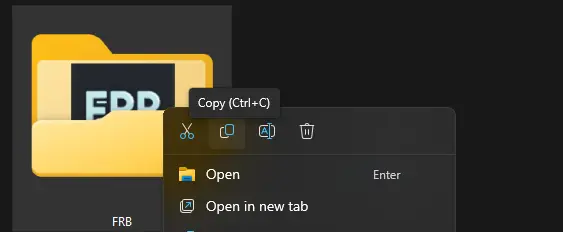
2. Verify Checksum
Run Get-FileHash on the installer and confirm the SHA-256 matches the value published on the Download page before continuing.
Copy the command, run it in PowerShell, then compare the result with the published SHA-256.
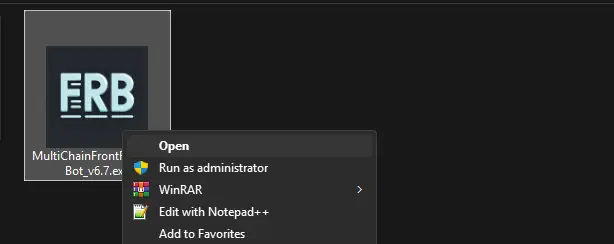
3. Execute
Run the Install FRB Agent shortcut.
Continue to dashboard pairing
Confirm the chain you selected earlier. Open the agent and keep its 6-character PIN visible before continuing.
Key Takeaways
- Always verify the SHA-256 checksum against official release notes to ensure integrity.
- Download only from the official website; do not use mirror links or shared archives.
- The FRB Agent runs locally and does not ask for seed phrases or private keys.
- Pair the node client using your unique 6-digit dashboard PIN for secure RPC connections.
Official References
Guided setup
Step-by-step walkthrough
Use the maintained Quick Start guide for the current installer, verification, and pairing sequence.
Open Quick StartMEV 101 Hub
Beginner playbook.
Flashbots Tutorial
Setup guide.
Knowledge Base
Common fixes.