Настройка Windows: проверьте SHA-256 и начните…
**Краткий ответ** — прежде чем позволить установщику FRB Windows коснуться кошелька, сделайте три вещи по порядку: (1) вычислите его **SHA-256** с помощью `Get-FileHash` и сравните
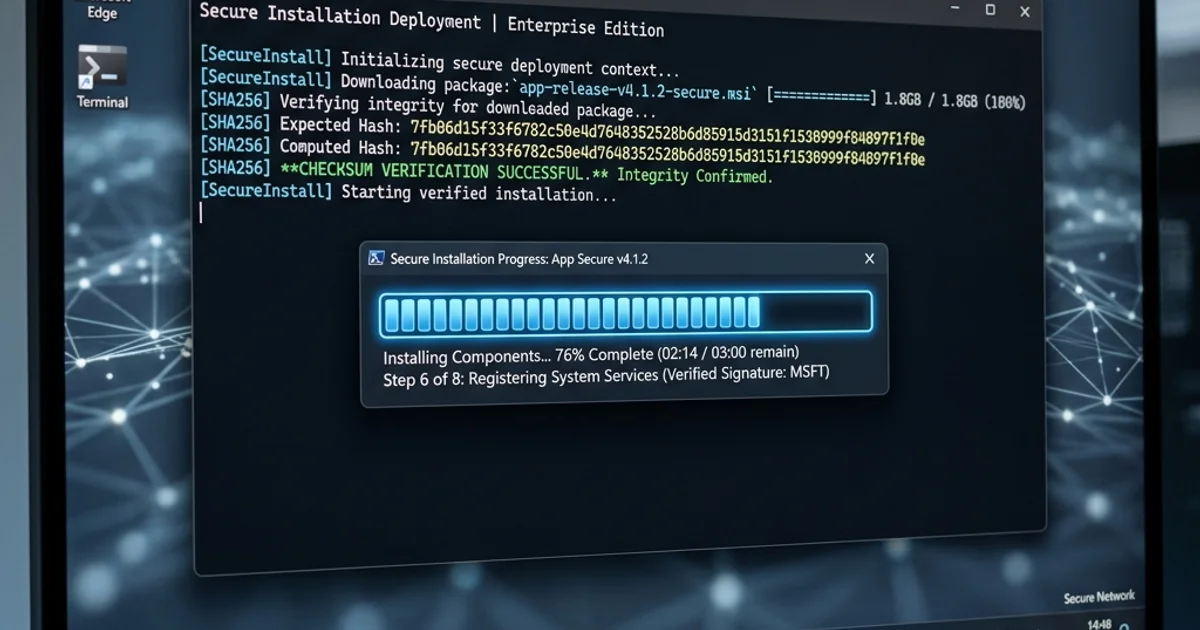
Краткий ответ — прежде чем позволить установщику FRB Windows коснуться кошелька, сделайте три вещи по порядку: (1) вычислите его SHA-256 с помощью Get-FileHash и сравните со значением на странице релизов, (2) убедитесь, что тот же хэш SHA-256 опубликован на странице загрузки (обе страницы должны согласовываться) и (3) запустите режим моделирования в течение как минимум 30 минут, чтобы убедиться, что стратегия сходится, прежде чем переключать режим реального времени. Шаги 1 и 2 позволяют выявить вмешательство в цепочку поставок — кто-то подставляет модифицированный установщик между сервером сборки FRB и вашим жестким диском. Шаг 3 выявляет ошибки конфигурации — неправильный RPC, неправильное проскальзывание, смещенную модель комиссий — прежде чем они будут стоить вам реального ETH. Каждый шаг занимает не более 5 минут. Пропуск их — наиболее распространенная причина потерь, которых можно было бы избежать в первый же день.
Почему существуют эти проверки
Настольный агент FRB запускается локально на вашем компьютере. Закрытый ключ пользователя расшифровывается и подписывает транзакции внутри адресного пространства агента. Эта модель более безопасна, чем Telegram или веб-бот в стабильном состоянии — ваш ключ никогда не покидает ваше оборудование — но она концентрирует доверие к исполняемому файлу, который вы используете. Если кто-то успешно заменяет вредоносную сборку легитимной, вам придется импортировать ключ в скомпрометированное программное обеспечение.
Два приведенных ниже шага проверки позволяют Windows подтвердить, что двоичный файл на диске создан и подписан FRB Labs.
Шаг 1 — SHA-256 против опубликованного хеша
Откройте PowerShell в папке, содержащей загруженный установщик:
PowerShell
Get-FileHash .\FRB-Setup-2.2.0.exe -Algorithm SHA256
(Используйте точное имя загруженного вами файла; номер версии меняется в зависимости от выпуска.)
Сравните полученный шестнадцатеричный хэш со значением SHA-256, указанным в /releases для этой версии. Две строки должны совпадать посимвольно. Один другой символ означает, что файл на диске не является файлом, опубликованным FRB.
Если они не совпадают:
- Не запускайте установщик.
- Загрузите заново из новой вкладки браузера — желательно из другой сети, если вы параноик.
- Если новая загрузка по-прежнему не соответствует требованиям, отправьте отчет об уязвимости — возможно, это реальная проблема в цепочке поставок.
Шаг 2 — хеш SHA-256
В PowerShell запустите Get-FileHash .\FrbAgent_install_vr_8.6.exe -Algorithm SHA256.
Подтвердите:
- Алгоритм дайджеста: SHA256.
- Вычисленный хеш точно, символ за символом, совпадает с опубликованным значением.
Если вычисленное значение SHA-256 не соответствует значению, опубликованному на страницах «Загрузка» и «Выпуски», не запускайте установщик — повторно загрузите с официального URL-адреса и проверьте еще раз.
Совпадение хеша с доменом-двойником (любым, кроме ai-frb.com) — это попытка фишинга, а не повреждённая загрузка. Сообщите об этом.
Шаг 3 — установите, подключите, но пока не вводите в эксплуатацию
После проверки двоичного файла установите и запустите. Агент показывает 6-значный PIN-код. Соедините его с панелью управления по адресу /app («Добавить бота» → вставьте PIN-код). Агент должен появиться на панели мониторинга с именем хоста, регионом и временем безотказной работы.
Теперь настройте конечные точки RPC и ретрансляции (инструкции по выбору конечных точек см. в Справочнике FRB), но оставьте стратегию в режиме моделирования. Пока не импортируйте ключ со средствами — или, если вы это сделаете, установите разрешения кошелька, чтобы он мог читать, но не мог подписывать.
Шаг 4 — проверка на моделировании
Запустите симуляцию на 30 минут (или дольше для более медленных стратегий). Что вы проверяете:
- Не менее 3 выигрышных смоделированных сделок по одной и той же стратегии. Одной недостаточно — может, просто повезло. Три сделки с разрывом <5% между смоделированной и реализованной прибылью говорят о том, что модель честна.
- Ноль ошибок релею. Никаких тайм-аутов, никаких ответов с неверным набором данных, никаких отклонений сборщика. Если вы их видите, это означает, что ваша конфигурация релея неверна, а не ваша стратегия.
- Нет причин возврата, которые вы не осознаете. Возврат говорит о том, что реальность в сети отличается от вашей модели. Выясните причину — обычно это проскальзывание, недооценка комиссии или изменение состояния DEX между имитацией и потенциальной отправкой.
Если симуляция не чистая, не запускайте. Сначала затяните модель.
Шаг 5 — жесткие лимиты для первого живого запуска
Когда проверка на моделировании пройдена:
- Бюджет газа на сделку: 1× медианный смоделированный газ.
- Бюджет ETH на сессию: эквивалент ~200 долларов США или 5 × одна выигрышная сделка.
- Предел проскальзывания: 0,5% (ниже для стейблкоинов)
- Резервный вариант общедоступного мемпула: ВЫКЛ для первого сеанса.
- Флаг разрешения транзакций с возвратом: выключен, если только стратегия действительно не требует пробных повторных попыток.
Первые 50 живых пакетов — это контрольный прогон для измерений, а не для заработка. Вы подтверждаете, что реальная задержка включения, реальное поведение релея и реальная динамика комиссий соответствуют тому, что показал вам симулятор. Если да, увеличивайте масштаб с шагом 25%. Если нет, вернитесь к моделированию и найдите ошибку модели.
Чем не является весь этот контрольный список
Это не гарантия. Бинарный файл, проверенный по SHA-256, сверенный с опубликованным SHA-256, говорит только о том, что файл создан FRB, а не о том, что сборка FRB правильна, что ваша сеть не перехвачена или что ваша стратегия прибыльна. Он устраняет один конкретный класс риска: вмешательство между сборкой и запуском. Остальные риски нуждаются в собственном контроле.
Более широкую картину рисков см. в Управление рисками для торговых ботов MEV и Лучшие практики в области безопасности криптовалютных торговых ботов, 2026 год.
Расширенная проверка: проверка процессов на уровне ОС
Для пользователей, которым нужна максимально возможная гарантия, помимо SHA-256 и SHA-256, Sysinternals Process Monitor обеспечивает подтверждение на уровне ОС того, что агент FRB фактически делает во время выполнения:
Что проверить с помощью Process Monitor:
- Фильтруйте по
Process Name = FRB.exeи наблюдайте за событиями файловой системы. FRB должен читать из%APPDATA%\FRB\(зашифрованное хранилище ключей) и больше нигде для операций с ключами. Любой доступ к ключевому файлу за пределами этого пути является неожиданным. - Следите за сетевыми событиями. FRB должен создавать TCP-соединения только с известными конечными точками Flashbots, Jito и RPC (описано на странице прозрачности FRB по адресу
/trust). Любые неожиданные исходящие соединения с неизвестными IP-адресами требуют расследования. - Следите за вызовами API
CryptUnprotectDataв журнале событий API Process Monitor. Это функция Windows DPAPI, используемая для расшифровки вашего ключа в памяти. Вы должны увидеть его вызов при инициировании транзакции, а не в других случаях.
Использование Wireshark для проверки на уровне сети: Захватывайте исходящий трафик FRB и проверяйте, чтобы все IP-адреса назначения соответствовали ASN известных провайдеров (Flashbots использует IP-адреса Cloudflare; Jito использует AWS US-East; основные провайдеры RPC используют свои документированные диапазоны IP-адресов). Никакой трафик не должен направляться на нераспознанные потребительские интернет-провайдеры или жилые IP-адреса.
Эти шаги не являются обязательными, но обеспечивают наиболее строгую независимую проверку того, что агент FRB ведет себя точно так, как описано в документации.
Ссылки
Похожие статьи
Дальнейшее чтение и инструменты
Обсуждение
Примечаний пока нет. Добавьте первое наблюдение или поделитесь ссылкой со своей командой на X (@MCFRB).