What Is MEV? A Practical Guide for Safer…
**Answer first** — **MEV (Maximal Extractable Value)** is the value capturable by changing the order of transactions inside a block — including which transactions are present, whic
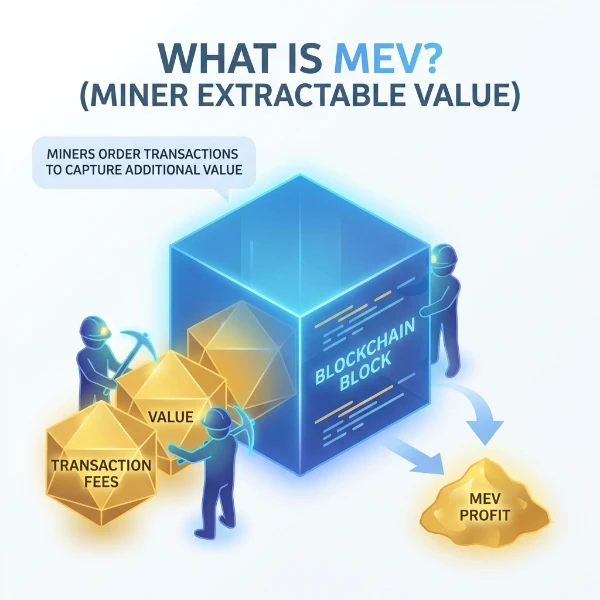
Answer first — MEV (Maximal Extractable Value) is the value capturable by changing the order of transactions inside a block — including which transactions are present, which aren't, and what sequence they appear in. In 2026 the four meaningful strategy classes are arbitrage (price differences across DEXs/pools restored by your trade), backrunning (capturing imbalance left by someone else's swap), liquidations (claiming the bonus paid by lending protocols when collateral falls below the safety threshold), and sandwiching (extracting from a target user by trading both before and after them — increasingly avoided for ethical and regulatory reasons). MEV used to be captured almost entirely by miners and well-resourced searchers in Ethereum's pre-PBS era. After the Merge and the rise of MEV-Boost / private bundle relays, capture has shifted toward independent searchers with disciplined infrastructure — which is what FRB is built for. MEV isn't a guarantee of profit. It's a market where infrastructure quality, simulation discipline, and risk caps determine whether you're net positive over time.
Mastery path
- What is MEV? (current)
- Private vs public mempool
- Backrun vs sandwich strategy
- Inclusion probability 101
- Fixing failed bundles guide
- Mempool scanning 101
Where MEV comes from
Every blockchain orders transactions. AMMs price swaps based on the pool state at execution time. Lending protocols allow liquidations only when collateral is below threshold. Cross-chain prices diverge while messages propagate. All of these create order-dependent value — the same set of transactions in a different order produces a different outcome.
MEV is the value that whoever controls the ordering can extract. On Ethereum that's a complex chain of validators, builders, and relays. On Solana it's slot leaders and the Jito Block Engine. On BSC it's the validator set with bloXroute / Puissant overlays. On centralised-sequencer chains (Arbitrum, Optimism, Base) it's the sequencer.
The four real strategy classes
Arbitrage
The cleanest form. A price differs between two pools (Uniswap vs Sushi, Raydium vs Orca, etc.). You trade between them and capture the spread. Restores prices toward equilibrium; nobody is materially worse off than they would be otherwise.
- Size: typically small per opportunity, high frequency.
- Risk: moderate; main risk is execution failure (slippage, frontrunning).
- Ethical posture: unambiguously fine.
Backrunning
You trade immediately after someone else's large swap, capturing the arbitrage value that swap created. Cousin to arbitrage; the difference is timing — you're chasing a specific recent state change rather than steady-state pool divergence.
- Size: depends on the trigger swap's size.
- Risk: simulation drift between your sim and the actual block state.
- Ethical posture: fine — the target user gets the same fill they would have otherwise.
Liquidations
Lending protocols (Aave, Compound, Solend, Marginfi) pay a bonus to liquidators who close positions that have fallen below safety thresholds. You monitor positions, detect when one is liquidatable, and close it. The bonus compensates you for the service of keeping the protocol solvent.
- Size: highly variable, event-driven.
- Risk: competition can be intense (other liquidators chasing the same position); also smart-contract risk on the protocol side.
- Ethical posture: generally accepted as legitimate protocol service.
Sandwiching
You trade both before and after a target user's swap. Your front-run buys, the target's swap pushes the price further, your back-run sells at the new worse price. The target user gets a worse fill because of your sandwich.
- Size: variable, can be large on individual targets.
- Risk: target user loses; this is value transferred from them to you.
- Ethical posture: controversial. In 2026 most operators avoid it (regulatory direction, protocol-side defences, reputational cost). FRB Agent ships with sandwich strategies disabled by default. See Backrun vs sandwich strategy for the longer discussion.
Who captures MEV in 2026
Three groups, very different positions:
- Independent searchers with private-relay access and disciplined infrastructure (FRB-class). This is the largest growth category since the Merge — barriers to entry have dropped substantially.
- Block builders themselves, who can integrate strategies into their own block-building. Some are also searchers.
- Validators / sequencers, who choose which builder's block to publish (Ethereum) or which transactions to include and order (Solana, sequencer chains). Their share is bounded by builder competition.
The pre-Merge era of "miners take all the MEV" is over. The post-Merge equilibrium has more diverse capture, with much of it accessible to operators willing to invest in proper infrastructure.
Why "private bundles" matter for safer execution
Submitting MEV transactions to the public mempool exposes them to:
- Frontrunning — another searcher copies your strategy with a higher gas bid, executing before you.
- Sandwich on yourself — a sophisticated attacker can sandwich your arbitrage if it's revealed in the mempool.
- PGA (Priority Gas Auction) waste — bidding wars push gas prices up; you pay more to land less.
Private bundle paths (Flashbots eth_sendBundle, Jito on Solana, FastLane on Polygon) keep your transactions invisible until they're included. On Ethereum mainnet, this is also where multi-builder fan-out lives — see Best Ethereum private RPCs.
Discipline that distinguishes profitable MEV from gas-burn
- Always simulate against current state before signing. Most MEV losses come from sim-vs-reality drift.
- Cap slippage tightly. 0.3% on majors, 0.5% on mid-cap, 1.0% on memecoins.
- Per-trade gas budget refreshed pre-sign — stale gas estimates lose contested blocks.
- Per-session ETH/native budget — protects against bug cascades.
- Canary sizing for any new strategy; 50 trades at 1/10× before scaling.
- Track realised vs simulated PnL — persistent gap means model is wrong.
The FRB Agent wires all of this into the strategy config so the discipline is enforced rather than remembered.
Common MEV misconceptions
- "MEV is a assured profit." No — it's a market with execution risk, competition, and infrastructure costs. Strategy work is needed to be net positive.
- "Private mempool means private from everyone." Private from public mempool subscribers. Still visible to the relay and the builder. See Flashbots bundles explained.
- "Sandwich attacks are how MEV bots make money." Some bots do. Most disciplined operators don't and don't need to. The bigger PnL is in arbitrage and liquidations.
- "Solana doesn't have MEV." Solana has plenty — different shape (no traditional mempool, bundle-based via Jito). See Solana vs Ethereum MEV.
Related Reading
- How to Detect MEV in Your Trades 2026
- How to Avoid Sandwich Attacks 2026
- How MEV Bots Make Money
- MEV vs CEX Arbitrage 2026
MEV and the Regulatory Outlook
MEV regulatory status in 2026 is jurisdiction-dependent and strategy-specific. Cross-DEX arbitrage and protocol liquidations are generally treated as equivalent to traditional market-making and collateral management — well-understood activities with no active regulatory targeting in any major jurisdiction. Sandwich attacks occupy a different legal space: US and EU class-action theories are developing around front-running characterizations, and while criminal enforcement hasn't materialized, civil liability exposure for operators running systematic retail-targeting strategies is increasing.
The practical guidance for operators in 2026: stick to arbitrage, liquidations, and backruns; document your strategy type; use private relay submission (which leaves an auditable trail rather than a contested public-mempool record); and check the MEV Regulation Hub for jurisdiction-specific updates as the legal landscape continues to evolve.
FRB Agent's decision to ship with sandwich strategies disabled by default reflects both the ethical position described in this guide and forward-looking regulatory risk management. The four legitimate strategy classes — arbitrage, backrunning, liquidations, and JIT — are the sustainable MEV opportunity set for 2026 and beyond.
References
Related Articles
Further reading & tools
Discussion
No notes yet. Add the first observation, or share the link with your team on X (@MCFRB).