Flashbots Bundles Explained: Structure, Submission, and Limits
**Answer first** - A Flashbots bundle is one or more Ethereum transactions grouped in a defined order and submitted to block builders for a target block. By default, a reverting tr
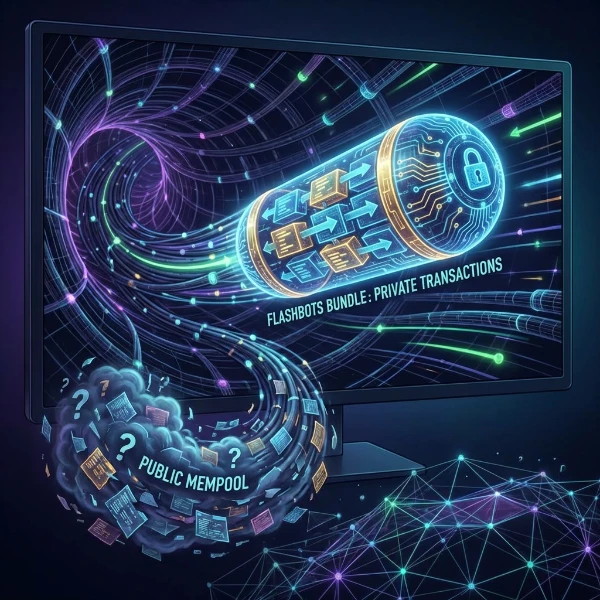
Answer first - A Flashbots bundle is one or more Ethereum transactions grouped in a defined order and submitted to block builders for a target block. By default, a reverting transaction invalidates the bundle unless its hash is explicitly permitted to revert. The API can multiplex a submission to selected builders. Acceptance does not prove inclusion, execution quality, or profit.
Bundle structure
A bundle can include:
- signed transactions created by the searcher;
- signed pending transactions from the public mempool;
- a target block;
- optional timestamp constraints;
- an explicit list of transaction hashes allowed to revert.
Order is part of the bundle. If one transaction depends on state created by an earlier transaction, preserve that dependency during simulation and submission.
Lifecycle
Construct
Use the exact chain ID, nonce, fee fields, calldata, value, and signer intended for the target block. Reject ambiguous or stale inputs.
Simulate
Simulate the full ordered group against an appropriate block state. Save logs, gas use, balance changes, and every revert.
Simulation does not prove future inclusion because state and competing block value can change.
Price and target
Define the builder payment, maximum cost, target block, and expiry. A candidate that no longer clears the operator''s cost and risk policy should be dropped rather than repriced without limit.
Submit
Use the documented Flashbots API. If builder multiplexing is configured, store the selected builders and the request response.
Confirm
Map the response to on-chain transaction hashes. Record included, not included, expired, and rejected attempts separately.
Permitted reverts are not partial success
Flashbots documentation allows specified transaction hashes to revert without invalidating the full bundle. This is an explicit exception chosen by the sender.
Therefore, do not summarize every bundle as "all transactions succeed or none do." Review the configured reverting transaction policy and model its state and cost effects.
Protect RPC vs builder API
| Product path | Intended use |
|---|---|
| Flashbots Protect | Private transaction routing for Ethereum users |
| Flashbots builder API | Searcher transactions and bundles for builders |
A wallet transaction endpoint and a searcher bundle endpoint have different methods, authentication, and operational assumptions.
Multiplexing
Flashbots supports selecting multiple builders through documented parameters. Multiplexing changes distribution; it does not establish a fixed share of blocks or an assured inclusion rate.
Measure:
- builder selection;
- simulation result;
- target block;
- response status;
- on-chain inclusion;
- complete costs;
- observation window.
Common implementation errors
- Treating an API response as on-chain execution.
- Simulating different calldata or state from the submitted bundle.
- Ignoring nonce conflicts and target-block expiry.
- Allowing reverts without modeling their effect.
- Mixing Protect RPC and builder API endpoints.
- Publishing inclusion or latency claims without a method.
- Omitting failed and expired attempts from reports.
Where FRB fits
FRB Agent can support a user-configured private-bundle workflow on Windows. Flashbots remains the external builder infrastructure, and its current documentation defines the API behavior.
Review Private Bundles, Simulation Mode, and the MEV cost-ledger guide.
FAQ
Does a Flashbots response mean the bundle landed?
No. Verify the component transactions on-chain.
Does every transaction need to succeed?
By default a revert invalidates the bundle, but the sender can explicitly permit selected transaction hashes to revert.
Does multiplexing make the bundle profitable?
No. It only changes which selected builders receive the submission.
Primary sources
Related Articles
Further reading & tools
Discussion
No notes yet. Add the first observation, or share the link with your team on X (@MCFRB).